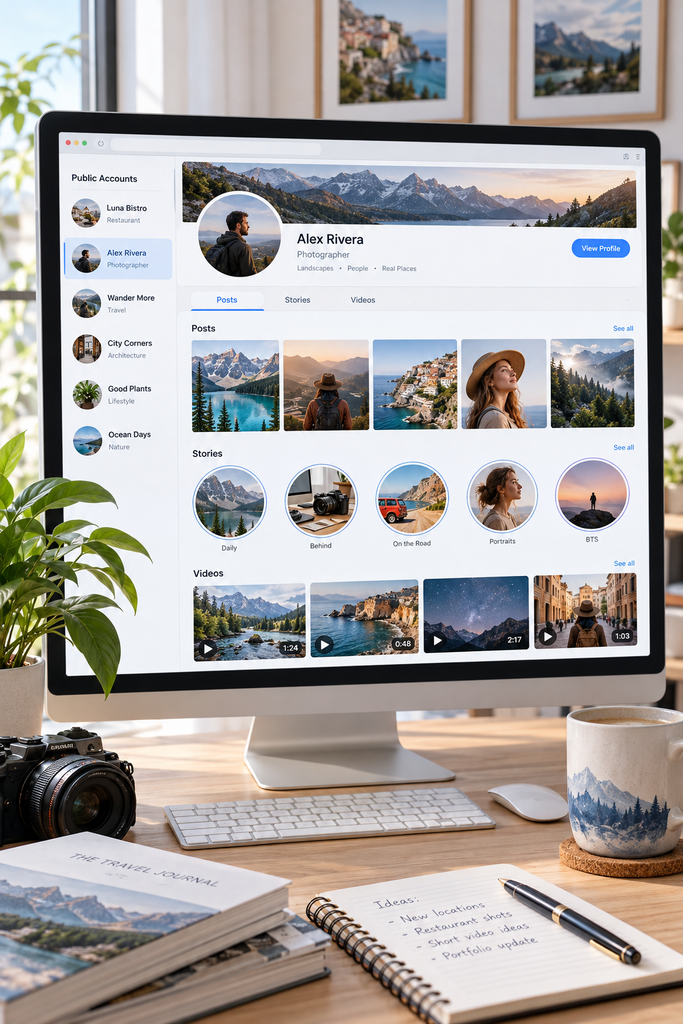
Instagram works well enough when you’re catching up with friends or watching a few Reels. It becomes less convenient when you need to find something specific. Maybe you’re looking for a restaurant’s old menu photos, reviewing a photographer’s portfolio, or checking several public accounts without getting distracted by your own feed.
An Instagram account viewer offers another way to look through Instagram content, usually from a web browser. Some display basic profile information, while others organize posts, Stories, and videos into separate sections. These services can be useful, but their capabilities vary. Understanding what they actually provide is the best way to avoid wasting time on a tool that doesn’t meet your needs.
What Is an Instagram Account Viewer?
An Instagram account viewer is a website or application that displays Instagram account information outside the platform’s standard interface. You typically enter a username or profile link, and the service shows whatever information it can access. Most tools concentrate on publicly available content, including profile pictures, biographies, posts, and videos. Some also support public Stories or Highlights, depending on how they collect information.
The main attraction is convenience. Instagram was designed around ongoing social interaction, not necessarily searching through years of photographs. A separate viewer can make browsing feel more organized, particularly when you’re using a desktop computer.
How Does an Instagram Account Viewer Work?
Most viewers have a search field where you enter an Instagram username. The service then attempts to retrieve information associated with that account and presents the results in its own layout. Behind the scenes, websites use different methods to obtain content. Some rely on publicly accessible information, while others use previously collected records or authorized integrations. These differences affect how much content appears and how frequently it updates.
Using an Instagram account viewer generally involves three steps:
- Enter a username. Search for the account or paste its profile URL.
- Open the available content. Browse photographs, videos, profile details, or other supported sections.
- Check the information. Review captions and posting dates where available, particularly when researching older content.
What Information Can These Tools Display?
The features available depend on the provider, but several categories appear frequently.
Profile Pictures and Basic Details
Most viewers start with the account’s public-facing information. This can include the display name, biography, profile photograph, and follower statistics. Some websites allow you to enlarge profile pictures, which is useful when you’re trying to identify a creator or recognize a business account.
Instagram Posts and Reels
Photo and video galleries are among the most common features. Instead of opening individual posts through Instagram, you can browse available media in a layout designed for quick navigation. For example, an interior designer’s account might contain years of completed projects. A gallery-style interface can make it easier to compare older work with recent posts.
Stories and Highlights
Stories are different from regular posts because they usually disappear after 24 hours unless the account owner saves them to Highlights. Some viewers display currently available public Stories, while others offer selected archived material. Coverage varies, and a missing Story doesn’t necessarily indicate that it never existed.
Captions and Publishing Dates
A photograph without its caption can lose much of its meaning. Restaurant posts may include menu descriptions, fashion accounts might identify clothing brands, and travel creators often mention destinations. Dates matter too. A product featured two years ago might no longer be available, and an old restaurant recommendation may need checking before you make plans.
When Is an Instagram Account Viewer Useful?
An Instagram account viewer comes in handy when you want to explore public profiles without spending too much time inside the app. It can help you find inspiration, revisit older posts, or check specific details without getting sidetracked by unrelated content.
Keeping Up With Hobbies and Interests
Say you’re getting into gardening, learning to cook, or planning to redecorate your apartment. Instagram has plenty of accounts dedicated to these interests, but useful posts can get buried under newer updates. A viewer lets you look through available content at your own pace, making it easier to revisit ideas or find something you remember seeing weeks ago.
Following Events and Local Activities
Concert venues, festivals, museums, and community organizations regularly post schedules, announcements, and photos from past events. An Instagram account viewer can help you browse their public updates when you’re looking for a particular exhibition, performance, or activity. It’s also handy for checking photos from an event you’ve already attended.
Looking Back at Older Posts
Sometimes you remember a photo but can’t recall when it was published. It might be a recipe you wanted to try, a book recommendation, or a useful tutorial. Scrolling through months of Instagram posts isn’t always appealing. A viewer with a well-organized gallery can make older public content easier to browse, especially when it preserves captions and publication dates.
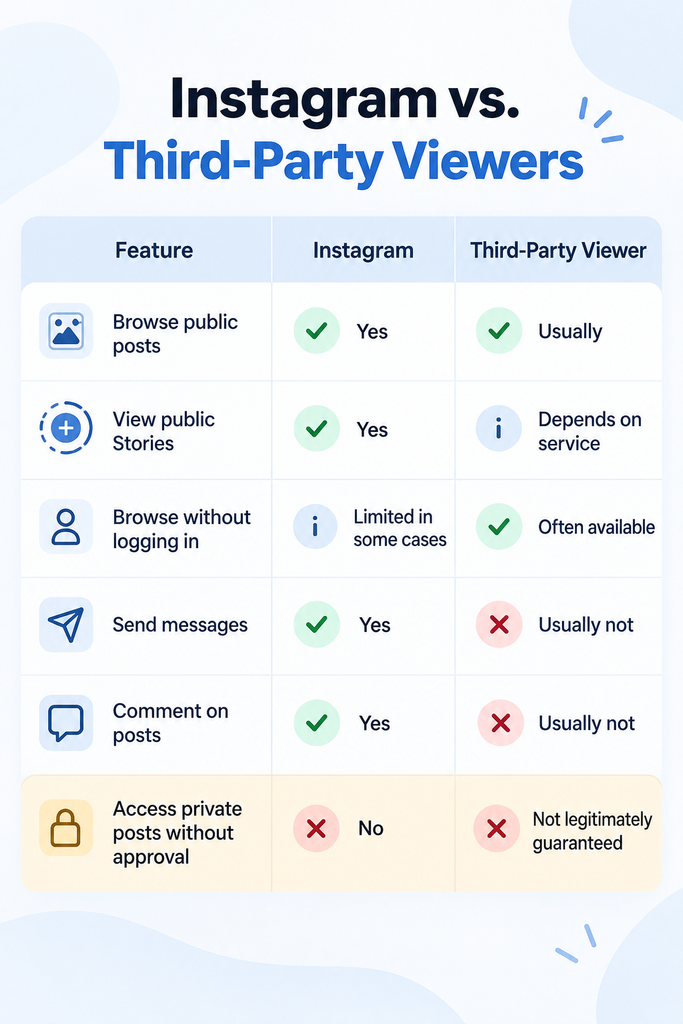
Instagram vs. Third-Party Viewers
| Feature | Third-Party Viewer | |
| Browse public posts | Yes | Usually |
| View public Stories | Yes | Depends on service |
| Browse without logging in | Limited in some cases | Often available |
| Send messages | Yes | Usually not |
| Comment on posts | Yes | Usually not |
| Access private posts without approval | No | Not legitimately guaranteed |
Can Instagram Account Viewers Access Private Profiles?
This is where advertising claims can become misleading. Instagram allows account owners to restrict posts, Stories, and Reels to approved followers. Basic profile information may remain visible, but private content isn’t available to ordinary visitors.
Some viewing websites advertise access to restricted photographs or Stories. Those promises should be treated skeptically, especially when the service doesn’t explain how the information is obtained. A viewer may display independently published public content associated with someone, but that isn’t the same as opening their private feed.
If an account is private, approval from the owner remains the normal way to view its restricted posts.
How Safe Are Instagram Account Viewers?
Using an unfamiliar website always deserves a little attention, especially when it involves social media accounts. A viewer that displays public information without requesting your Instagram credentials presents a different risk profile from one that asks you to sign in with your password.
Be cautious about unexpected downloads, mandatory surveys, repeated verification screens, and payment requests that appear before the website explains what it provides.
What Should You Look for Before Choosing One?
Start with the features you’ll actually use. Someone who only wants to examine profile photographs doesn’t need an elaborate dashboard with dozens of unrelated functions.
Check whether the service supports the content you’re interested in, how clearly it displays dates and captions, and whether browsing works comfortably on your device.
Reliability matters more than a long feature list. If photographs fail to load frequently or profile information appears outdated, the tool may not be particularly useful.
Pay attention to pricing as well. Free browsing and paid subscriptions can offer different levels of access, but a subscription doesn’t guarantee more accurate information.
For most casual users, the best option is a straightforward service that explains what it does without making unrealistic promises.